

Download ProduKey – product key finder, windows product key, office key recovery, cd key recovery, software key recovery
Overview
ProduKey is a lightweight utility designed to retrieve lost or forgotten product keys for Microsoft Windows and Microsoft Office installations. The application serves as a reliable tool for users who need to reinstall their operating system or software suite but no longer have access to the original product key. This is especially valuable in scenarios where the original packaging or digital purchase receipt has been misplaced.
ProduKey supports both current system scans and remote system data extraction through command-line parameters, enabling advanced users to retrieve keys from other machines or virtual environments. The tool is particularly useful for IT professionals, system administrators, and individuals managing multiple installations. Developed by NirSoft, a well-known name in the utility software space, ProduKey benefits from a long-standing reputation for creating efficient, no-frills tools.
It operates without requiring installation, making it ideal for use on portable systems or emergency recovery drives. Its minimal footprint and straightforward functionality position it as a go-to solution in the niche of software key recovery utilities.
Key Features & Functionality
- Product Key Retrieval for Windows and Office – ProduKey scans the system registry to extract the original product key used during installation of Microsoft Windows and various versions of Microsoft Office, including 2007, 2010, 2013, 2016, 2019, and 2021.
- Command-Line Interface Support – Advanced users can leverage command-line options to retrieve product keys from remote systems or automate key extraction in bulk operations.
- Portable Operation – The application runs without installation, allowing it to be used directly from USB drives or other portable storage devices.
- Multiple Output Formats – Results can be exported to text, CSV, or HTML formats for easy documentation and record-keeping.
- Compatibility with Multiple Windows Versions – Works across various Windows editions, including Home, Pro, Enterprise, and Server editions.
For example, a user preparing to reinstall Windows after a hard drive failure can use ProduKey to recover the original product key stored in the system registry. Similarly, a small business owner managing multiple computers can use the tool to compile a centralized list of software keys for future reference. The ability to extract keys from another machine via command-line parameters makes it a powerful asset in enterprise environments where remote system management is required.
Interface, UX & Performance
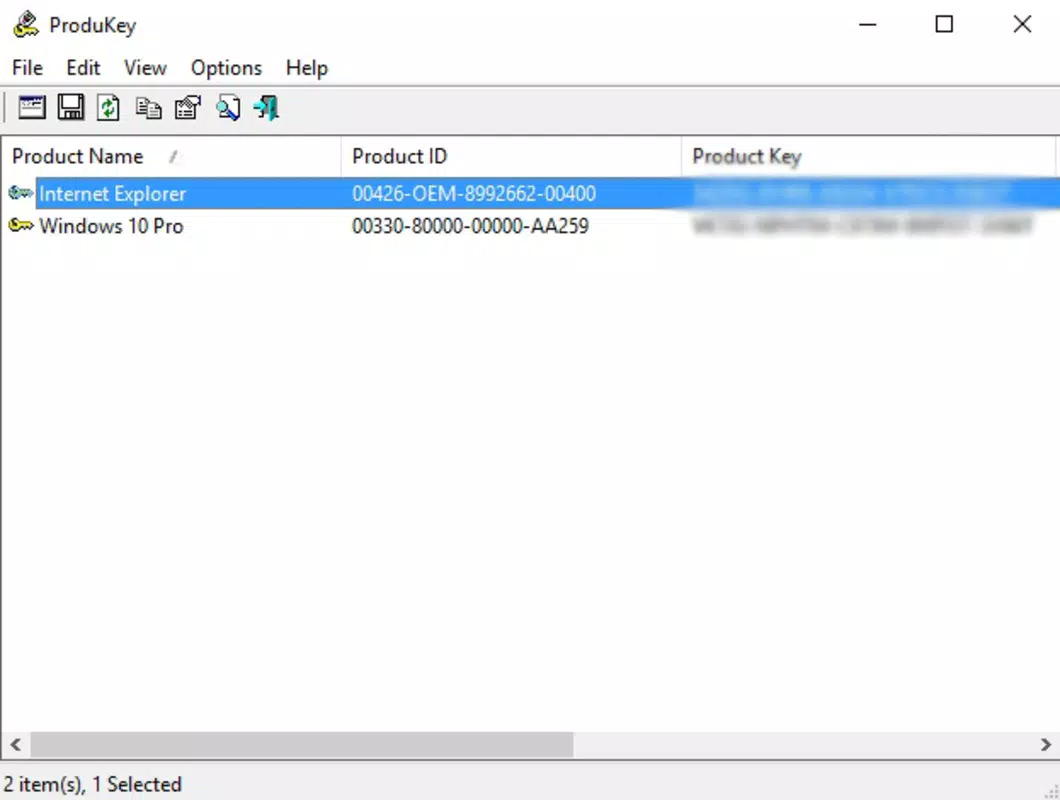
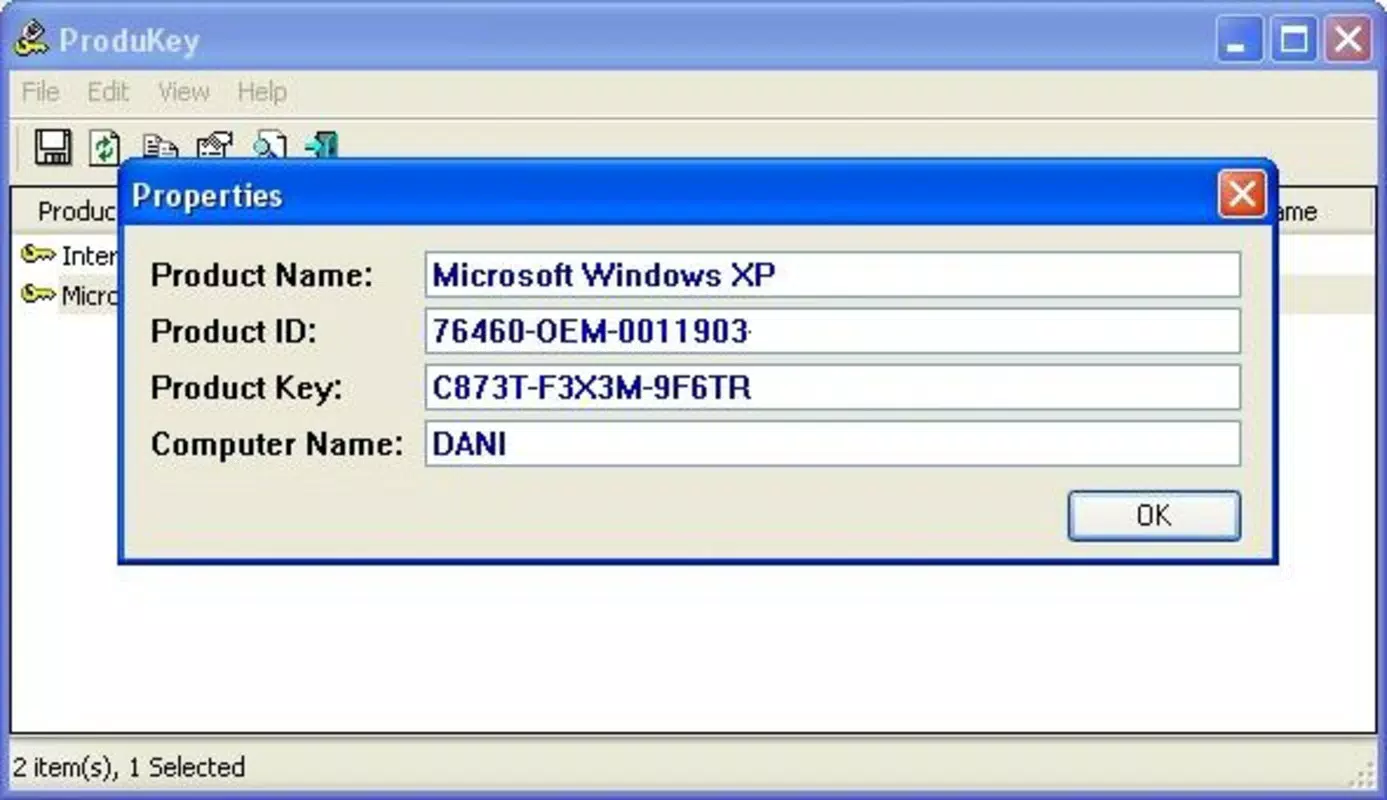
ProduKey features a minimalistic, text-based interface focused on functionality rather than visual flair. The main window displays essential system information, including the operating system version, product key, and installation type. Navigation is straightforward, with no complex menus or layered dialogs.
Users can initiate a scan with a single click, and results are displayed instantly. The application’s lightweight nature ensures it launches quickly and consumes negligible system resources, making it suitable for use on older or low-spec machines. Although the developer did not list formal performance metrics, the tool’s responsiveness and stability are consistent with its design philosophy—fast, reliable, and unobtrusive.
The interface remains functional across different screen resolutions and DPI settings, ensuring readability on both standard and high-density displays. The lack of graphical elements reduces the risk of UI glitches or rendering issues. Overall, the user experience is optimized for efficiency, catering to users who prioritize speed and accuracy over aesthetic polish.
Platform Compatibility & Technical Requirements
ProduKey is designed exclusively for the Windows operating system. It supports various Windows versions, though specific compatibility details were not listed. The application is available as a standalone executable file with a file size of 174 KB, making it highly portable and easy to distribute.
The developer did not specify minimum OS requirements, but given its lightweight nature and reliance on the Windows registry, it is likely compatible with Windows 7 and later. No installation is required, meaning the tool can be run directly from any accessible drive or folder. The tool does not require administrator privileges in most cases, though certain registry access may prompt standard user permission requests.
Users should ensure they are running a compatible Windows environment to avoid potential errors during execution.
Pros and Cons
Pros
- Free to use with no hidden costs or in-app purchases.
- Extremely lightweight at only 174 KB.
- Runs without installation, ideal for portable use.
- Supports both current and remote system key recovery via command-line.
- Provides accurate product key retrieval for Windows and Office.
Cons
- Interface is minimalistic and lacks modern visual design.
- Only available for Windows, not cross-platform.
- Command-line features may be challenging for non-technical users.
- Developer did not provide detailed system requirements.
- No built-in update checker or auto-update functionality.
FAQ
Is ProduKey safe to use?
Yes, ProduKey is a trusted utility developed by NirSoft. It does not install any additional software or modify system files. The tool only reads data from the Windows registry and does not transmit any information externally.
Can I use ProduKey on Windows 10 or Windows 11?
Yes, ProduKey is compatible with Windows 10 and Windows 11. It can retrieve product keys from systems running these operating systems, provided the original key is stored in the registry.
Does ProduKey work on all versions of Microsoft Office?
ProduKey supports most major versions of Microsoft Office, including 2007 through 2021. However, it may not work with newer or non-standard installations, such as Office 365 or Microsoft 365 subscriptions, which use different activation methods.
Is there a version of ProduKey for macOS or Linux?
No, ProduKey is currently available only for Windows. The developer has not released versions for macOS or Linux.
Can I recover a product key from a different computer?
Yes, with the command-line version, you can extract product keys from another computer by accessing its registry remotely or by copying the registry hive files. This requires technical knowledge and proper permissions.
Final Thoughts
ProduKey stands out as a dependable, no-cost solution for recovering lost software product keys. Its ability to retrieve Windows and Office keys with precision, combined with its portability and ease of use, makes it an essential tool for both casual users and IT professionals. While its interface lacks modern polish and it is limited to Windows, its core functionality is robust and reliable.
For anyone who has ever struggled to reinstall Windows or Office without a product key, ProduKey offers a straightforward, secure, and efficient resolution. It fills a critical gap in the software recovery ecosystem with minimal overhead. If you're looking for a trustworthy, free tool to recover your product keys, this is the one to use.
Download ProduKey now.


